1 May 2026
Shadow over Banner Hill
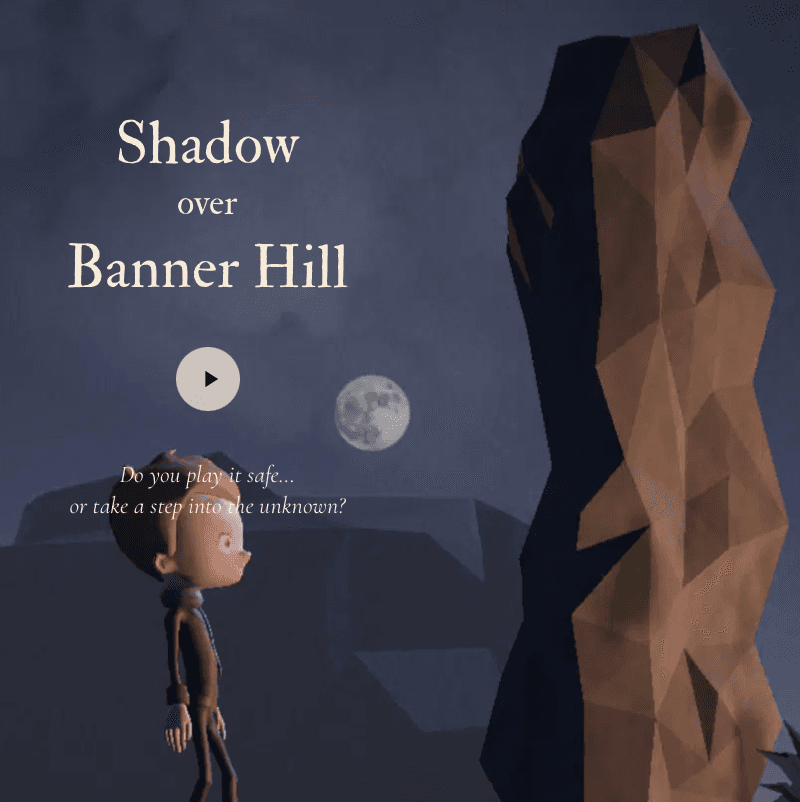
Shadow over Banner Hill is a choose-your-own-adventure game presented within a 3D world built using Unity 6. It's a game that rewards curiosity. The player is encouraged to wander about, investigate, and question in an effort to discover the hidden truths within the narrative.
From a narrative perspective the game leans heavily on the writings of the early 20th-century horror author, H.P. Lovecraft. The narrative engine is built on top of the ink system, which allows for easy collaboration with writers as dialogue is wrapped in a simple markup language that allows for easy encoding of conditional dialogue and branching paths as well as the setting of game variables used to control what is rendered in the scene.
3D assets were created either using Blender or they were sourced from asset bundles purchased from sites such as Synthy Store or as free downloads from Mixamo in the case of the player character models and animations. An aesthetic inspiration for the project is the game Dredge, a fishing simulator. I was particularly drawn to how Dredge combined 3D and 2D elements delivering a 2.5D design aesthetic. To achieve a similar atmosphere, I leveraged the Universal Render Pipeline (URP) Volume system, which allowed me to create high-fidelity post-processing effects and environmental lighting profiles that unify the 2D sprites and 3D environments.
Another consideration was platform support. To start, I only targeted WebGL builds but these needed to be accessible by both desktop and mobile browser users. Unity makes this really quite easy to achieve but you do need to put a bit of thought and effort into adapting your game controls to these different platforms. In the case of Shadow over Banner Hill, on desktop, I chose to use standard WASD and arrow key controls for movement and the mouse to control the camera. Whereas on mobile I implemented both movement and camera position/orientation using two-handed tap and drag events in tandem with a landscape screen orientation.
One experiment I carried out as part of the development was an investigation of Model Context Protocol (MCP) support for Blender and Unity. I'll soon write up a more detailed blog post on my experience of this but the main conclusions I came to were that MCP support for Unity is very good, while automating Blender actions using MCP performs less well. Claude Code was able to handle the majority of Unity editor operations that I needed to perform using the MCP for Unity package by Coplay. The struggle with Blender operations perhaps stems from the fact that 3D modeling involves the accumulation of an iterative set of manual steps whose objectives can't easily be defined using the medium of text alone.
I also experimented with the use of the Wispr Flow speech-to-text tool as part of my development pipeline. Midway through the project I was forced into this as I had had surgery on my dominant right hand, which rendered it unusable for a week or so. This worked out really well. Wispr Flow performed excellently and is a tool that I will continue to use in this capacity and others going forward.