5 May 2026 · 11 min read
Visualising The Metals
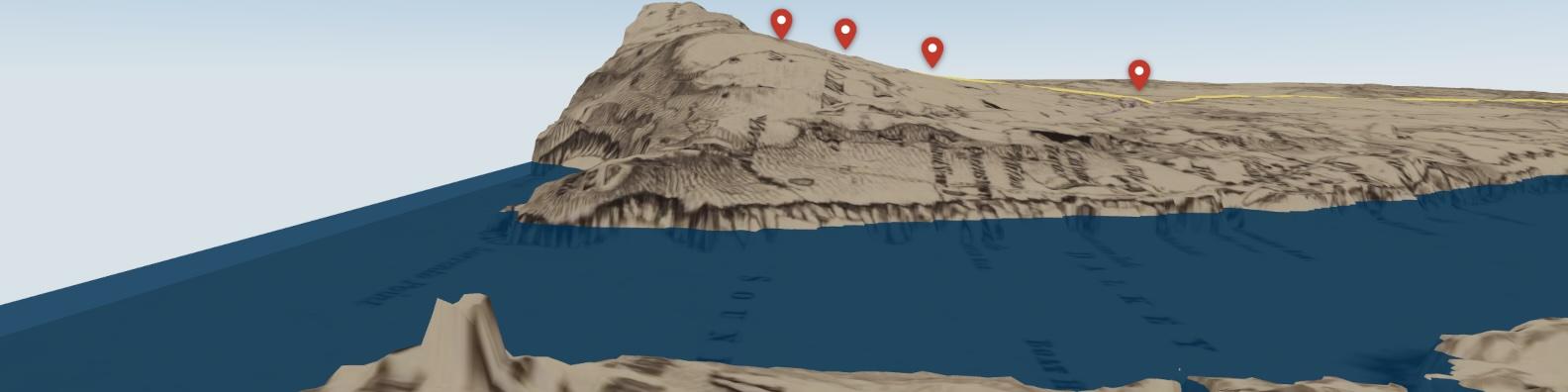
There is a path on the outskirts of Dún Laoghaire that I have walked almost every day for the past ten years. The Metals, is a relic of a horse and gravity-powered railway that ran from Dalkey Quarry down through Glasthule to Dún Laoghaire Harbour, which in the 19th century was known as Kingstown. Granite blocks quarried on the hill were loaded onto carts and sent down three separate chain-driven drops powered by gravity and the weight of the load. At the quarry face, in between each of the inclines and in the final run over relatively flat terrain, the carts were pulled by horses eventually to be deposited onto ships or used in the construction of the great east and west piers of the port. It's a fascinating piece of industrial history hidden in plain sight that takes in breathtaking views across Dublin Bay, looking north towards Howth.
I had always thought that the railway would make a great subject for a digital story and recently I spent a pleasant day putting together a small web app with the Metals as its subject. The idea was to present the railway route within a 3D terrain model that gave the user some impression of the route’s topographic context, the elevation change from its starting point at the Dalkey Quarry to its finish at Dún Laoghaire port. My objective was for the terrain model to be rendered as it is today using satellite imagery and as it was in the past using a 19th century Ordnance Survey map. I'll get into the technical approaches employed below but the key enabler of the project was ready availability of LiDAR data, which is made freely available by the Department of Climate, Energy and the Environment ArcGIS web viewer, satellite imagery from Google Maps and an 1837 Ordnance Survey map of the Dublin area sourced from the National Library of Scotland's Digital Archive.
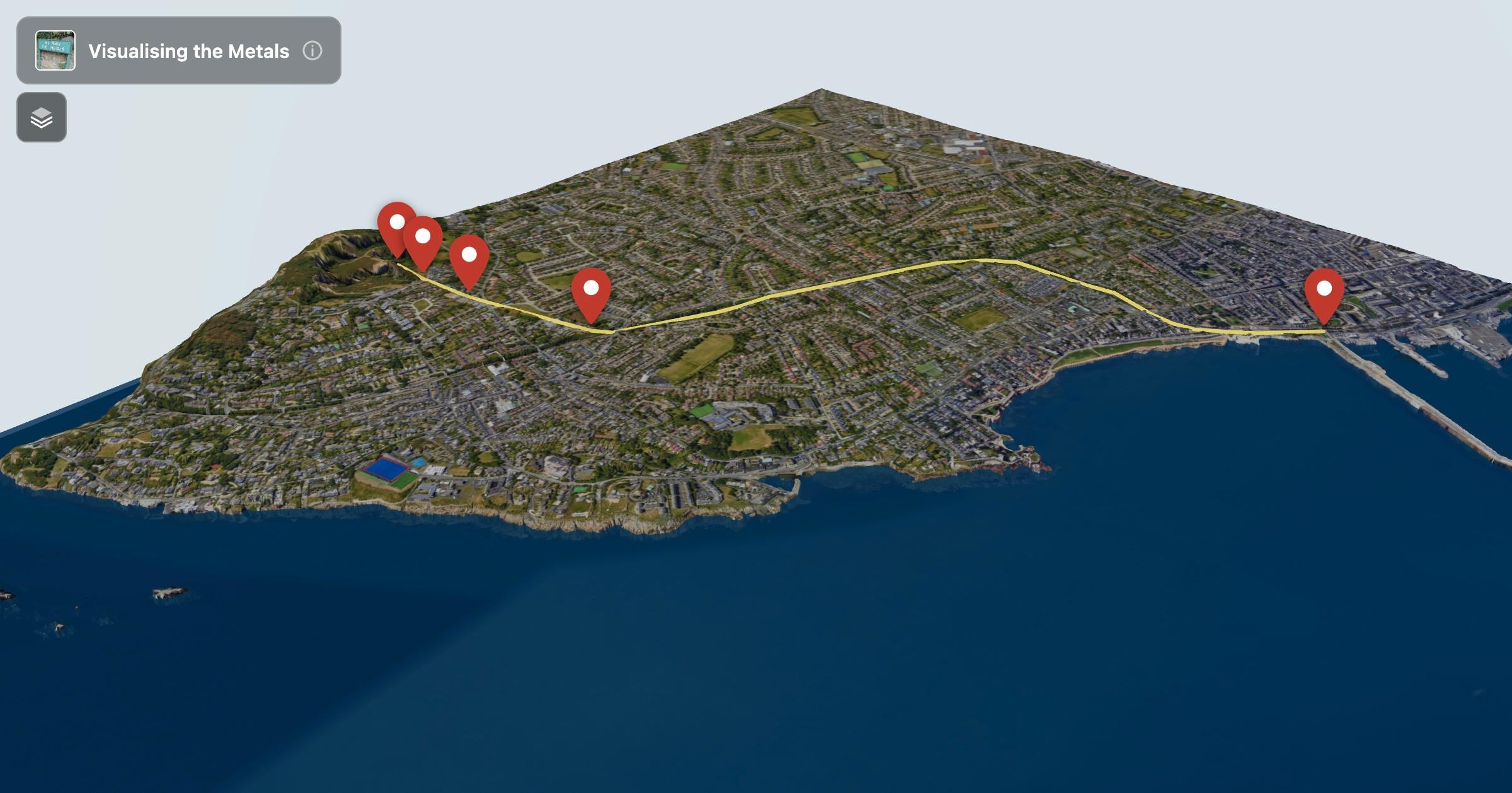 Satellite image view of the Metals route
LiDAR, which is short for Light Detection and Ranging, is a surveying technique used to capture topographic elevation data. A laser scanner is mounted onto the base of an aircraft, which flies over the target area. The scanner fires millions of pulses at the ground and records the precise elevation of each return and the output of this is a Digital Terrain Model or DTM that captures the shape of the landscape with centimetre-level precision.
The Stack
The base framework used is Next.js 15 with the App Router. There’s nothing too interesting to say about this except to say it's a great stack that produces very dependable repeatable results. For the 3D rendering, I used Three.js, which was abstracted using the @react-three/fiber and @react-three/drei libraries. If you haven't come across these before, R3F is a React renderer for Three.js that lets you describe your 3D scene using JSX components rather than imperative WebGL calls. As a first time user of the library, it turned out to be a genuinely nice way to work. drei is a companion library of pre-built helpers, things like <OrbitControls>, <Line>, and <Html> — that save you a lot of time building out functionality that has been coded many times before.
From LiDAR to the Browser
The first challenge was to convert the Digital Terrain Model into a format that could be ingested into Three.js. The LiDAR data is sourced as a GeoTIFF, a raster image format that embeds geographic coordinate metadata alongside the pixel data. Each pixel in the file represents a 1-metre ground cell, with its value encoding the elevation in metres. I sourced this data from the Department of Climate, Energy and the Environment ArcGIS web viewer.
Before it can be used with Three.js, you need to do a couple of things. The first is converting the GeoTIFF to a 16-bit grayscale heightmap GTiff. I used the free app QGIS to do this conversion. I also used QGIS to stitch together a number of different tiles downloaded from the ArcGIS web viewer and then to crop the target area needed for the project. For my area of interest, covering roughly 4 km² around Dalkey and Dún Laoghaire, this produced a 2048×2048 raster image with values ranging from sea level up to about 130 metres at the top of the quarry.
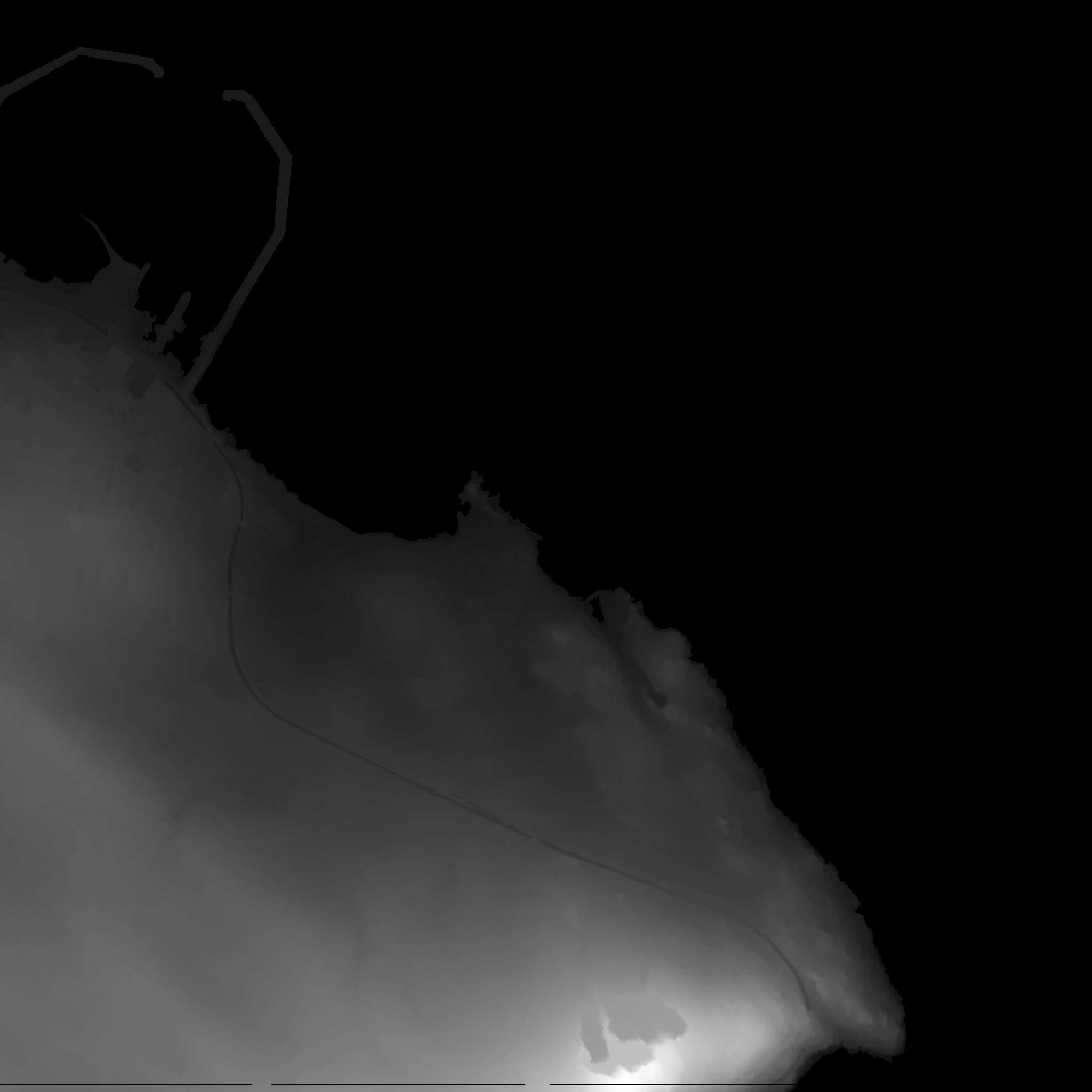 16-bit greyscale heightmap of the area around the Metals
Three.js renders terrain using a technique called displacement mapping. You take a flat plane geometry, subdivide it into a fine grid of vertices, and then use a greyscale texture — the heightmap — to push each vertex up or down according to its corresponding pixel value. White means high, black means low. It is an elegant approach and it runs very well on the GPU.
The challenge is getting from the GTiff heightmap to a format that the browser can understand. The raw GTiff data has 16-bit elevation values per pixel, which gives you 65,536 possible height steps. This is more than enough resolution for this kind of use. I wrote a Python script to convert the DTM tile to a 16-bit greyscale PNG. It linearly normalises the float elevation values from the source range (automatically derived by clipping the top and bottom 0.5% of values to discard outliers) into the uint16 range 0–65535, then saves the result as a genuine single-channel 16-bit PNG.
Having said all that, browsers decode PNG images through HTMLImageElement before passing them to WebGL and somewhere in that process the 16-bit precision gets quietly downsampled to 8 bits. That means you only get 256 height steps regardless of what is in the file. For this project that is adequate. The terrain still looks great and the inclines read clearly. But it's worth knowing the limitation is there. The fix, if you needed full precision, would be to use a DataTexture loader with a library like upng-js to decode the PNG yourself and hand the raw 16-bit buffer directly to Three.js.
With the terrain rendering correctly within the browser, the next challenge was to generate a three-dimensional set of waypoints that defined the route of the Metals. I did this by visually identifying and creating a polygon for the path of the Metals using a Google Maps satellite image as a reference image in QGIS. QGIS comes with a wealth of open source plug-ins, one of which is a draping tool that allows you to drape polygons over topographic height maps. The result of this is the addition of an accurate elevation value for any previously two-dimensional polygon.
Once exported from QGIS as a GeoJSON file, the next step was to georectify that data so that it could be mapped correctly within the Three.js web app. To do that I wrote a script called geojson_to_scene_path.py, which takes the GeoJSON and the source GeoTIFF and outputs a JavaScript ES module — a typed const array of [x, y, z] triplets — ready to be imported directly into the R3F component.
The projection chain for each waypoint goes: WGS84 longitude/latitude → Irish Transverse Mercator (ITM) Easting/Northing → pixel offset within the heightmap tile → scene X and Z. The first step, WGS84 to ITM, is a transverse Mercator projection. I implemented the projection calculation manually. Claude did a nice job here translating Ordnance Survey's technical docs into a handful of trigonometric series operations.
Once a point is in ITM, converting it to a pixel offset is straightforward. The GeoTIFF stores its own georeferencing in two metadata tags: a tiepoint that gives the real-world ITM coordinates of the top-left pixel, and a pixel scale tag that gives the ground distance per pixel. Reading those tags directly from the file avoids any dependency on GDAL and keeps the script self-contained.
The scene X and Z coordinates then follow from the pixel position. The Three.js plane is centred at the scene origin, so a pixel at the tile centre maps to coordinate zero, and points toward the edges map proportionally outward. The Y coordinate, representing height, uses the Z values that QGIS baked into the GeoJSON during the draping step, divided by the metres-per-scene-unit scale, plus a small upward offset to lift the path line clear of the terrain surface and avoid z-fighting.
Two Eras, One Landscape
The satellite imagery layer was relatively straightforward once the coordinates were sorted. I took a Google Satellite tile covering the area, sized it to match the DTM bounds, and used it as the colour map on the terrain mesh while the heightmap handled the displacement. Three.js's meshStandardMaterial supports this combination directly — displacementMap for the shape, map for the colour.
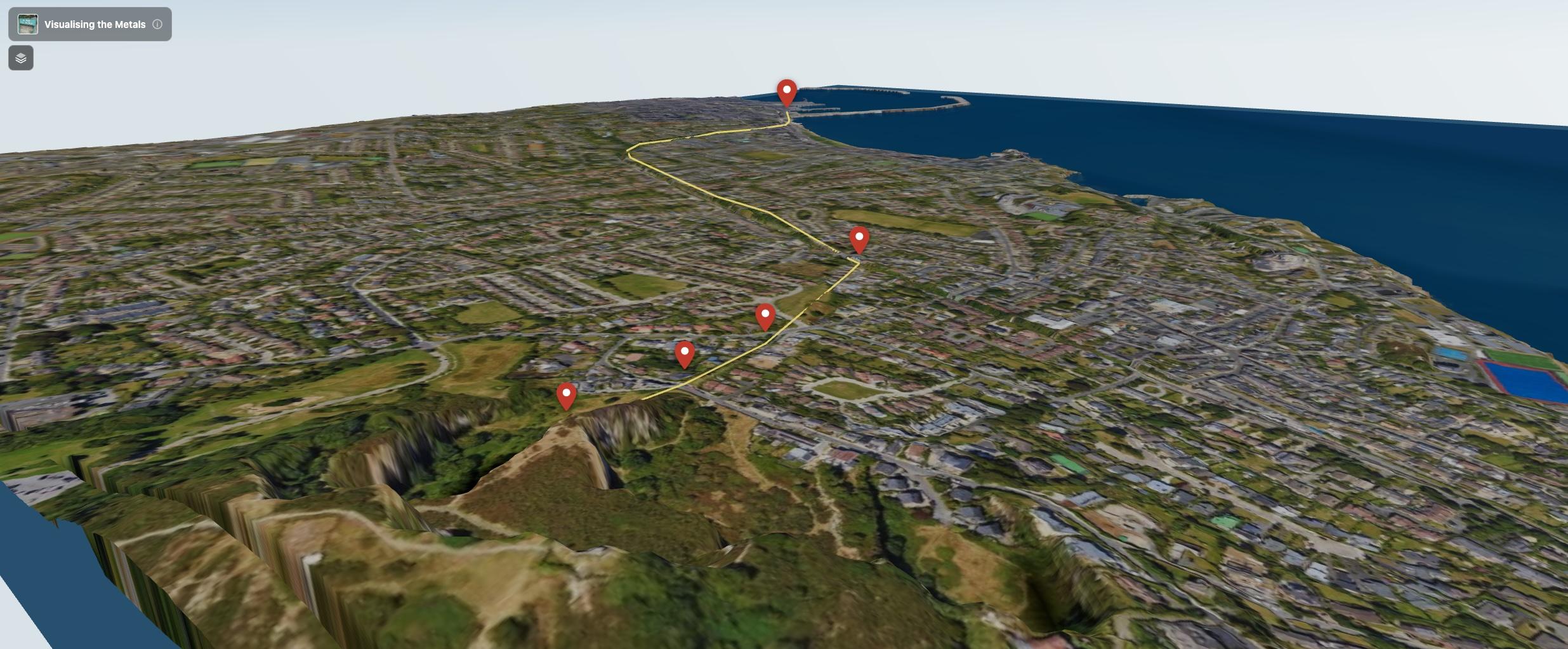 a view of the Metals route line running from Dalkey Quarry to the harbour
The more interesting texture layer challenge was adding the 1837 Ordnance Survey map. This is a gorgeous historical document showing the landscape around Dalkey and Kingstown just a few years after The Metals began operation. The piers, the inclines and the quarry are all annotated in beautiful 19th-century cartographic style. I converted it from a TIFF to a JPEG, matched its geographic bounds to the same ITM tile extents and draped it over the same displaced mesh using the same displacement parameters. Swapping in the app between the modern satellite view and the 1837 map is pretty interesting as you can see exactly how much the coastline has changed.
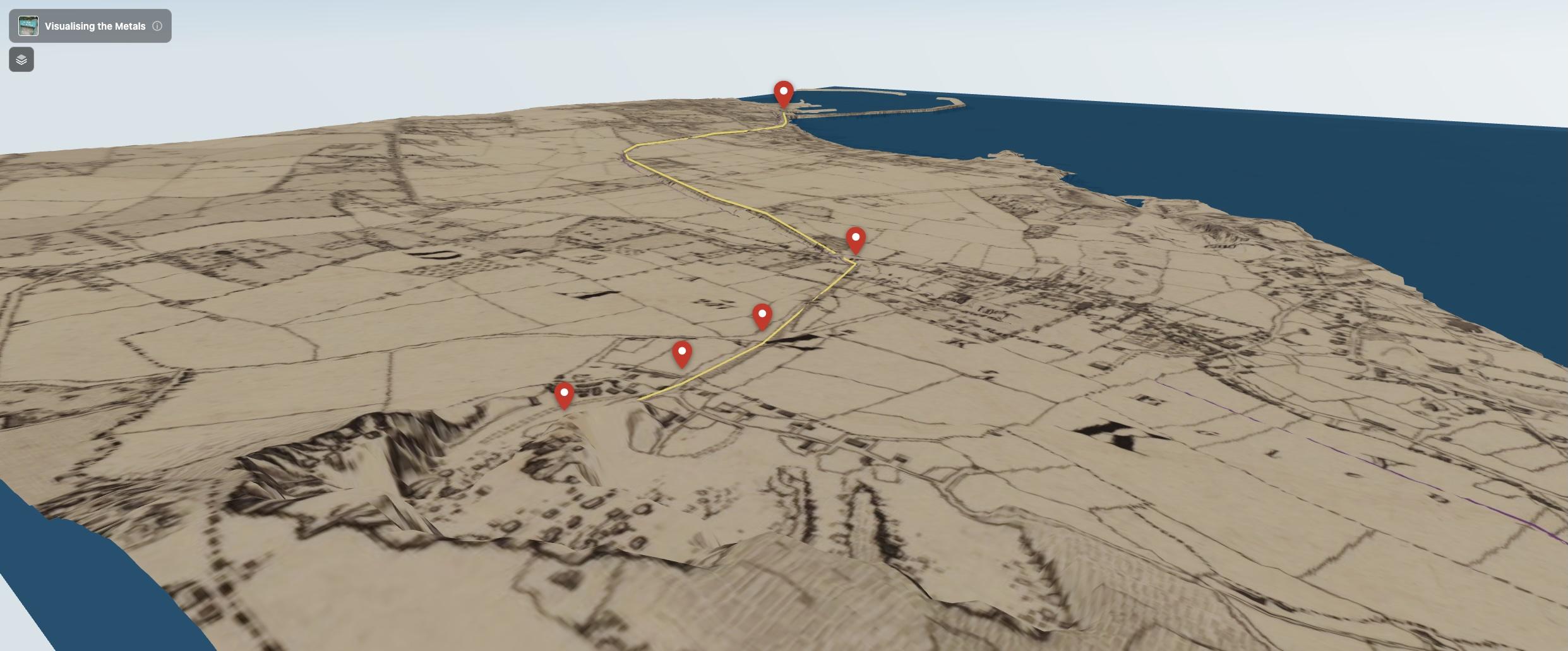 the same view with the 1837 Ordnance Survey map layer active
Note that I handled the area around Dalkey Island separately as it fell within a different DTM tile. This was a bit of extra work but worth it overall as it is a recognisable landmark of the area.
Getting the Navigation Right
The default OrbitControls behaviour in Three.js sees the camera orbit around a fixed target point in the scene and scroll to zoom in and out toward that same point. This works fine for viewing a static object from the outside but it doesn't feel quite right when used to explore a terrain model. For example, if you are looking down a valley and scroll, you want to move forward into the valley and not zoom toward some distant point on the horizon.
I replaced the default scroll behaviour with a dolly-along-view approach. On each scroll event, I get the camera's actual world-space look direction using camera.getWorldDirection(), multiply it by the scroll delta, and add that vector to both the camera position and the orbit target. The result is that scrolling always moves you forward and backward relative to where the camera is looking, which feels much more natural for terrain navigation.
I also added a pivot snapping behaviour on left-click. When you start a drag, the orbit pivot moves to a point directly in front of the camera at the current viewing distance. This means you always orbit around whatever is at the centre of your screen, rather than some arbitrary point you may have stopped orbiting around two interactions ago. On mobile, a double-tap resets the camera to its initial position, which serves as a failsafe against the user getting lost in the terrain.
Adding the Story
Once the terrain and navigation were working I added points of interest along the route — the quarry, each of the three inclines, and the harbour at Kingstown. These use Drei's <Html> component, which lets you render ordinary HTML elements anchored to a position in 3D space. When you click a marker, a panel appears with a description of the selected marker. This helps build the narrative element of the experience.
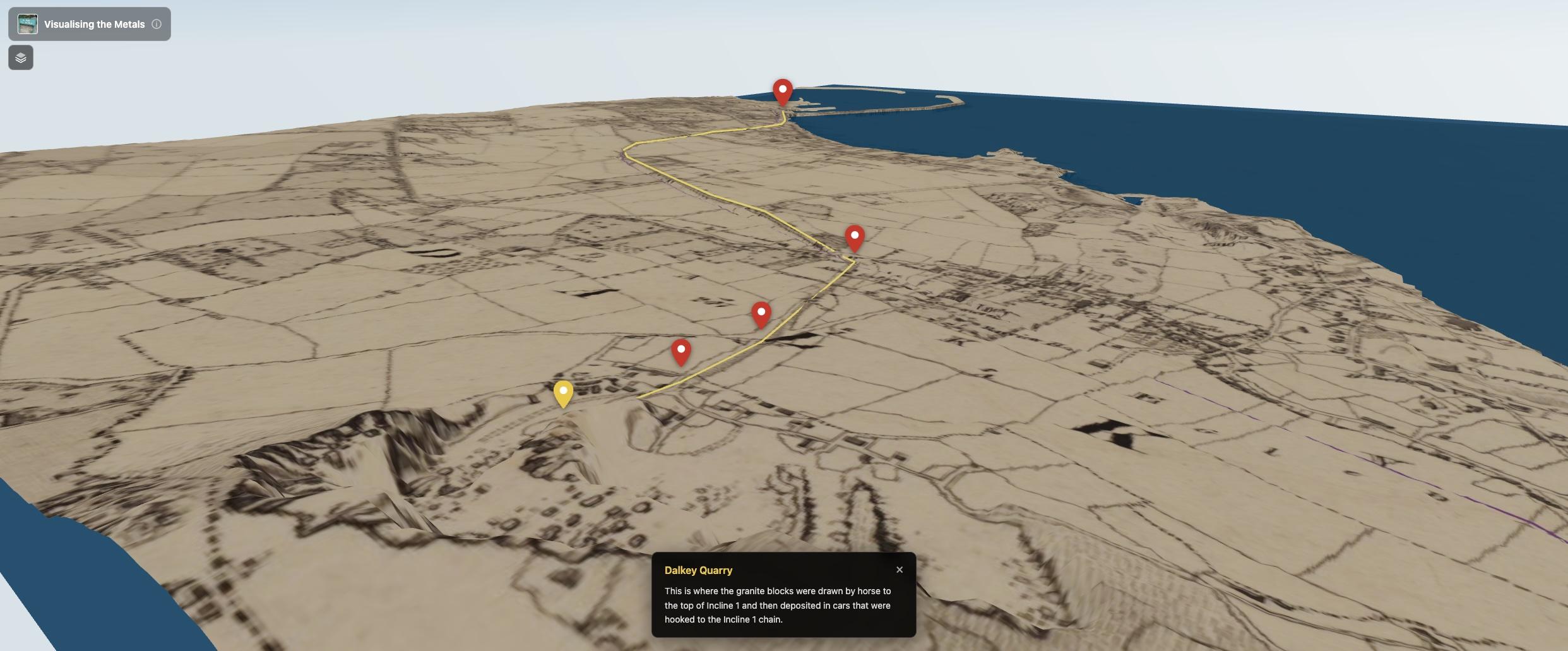 information about the Dalkey Quarry point of interest
I also added a layer picker following the Google Maps style, which allows switching between the satellite and 1837 OS map layers.
What the Project Became
The Metals project is a work in progress and there are plenty of features that I would like to add in the future. The 16-bit precision issue would be great to fix properly and adding more detail to the points of interest in the form of archive and modern photography would make for a richer user experience. But it does what I set out to do: it puts you in the landscape, lets you feel the elevation drop from the quarry down to the coast, and makes it easier to imagine those granite-laden carts moving through a neighbourhood I walk through every day. And most importantly for me, the project allowed me to get back up to speed on a number of techniques that I was once pretty good at but haven't used regularly in a number of years. And it was a lot of fun.